IT Request Guide
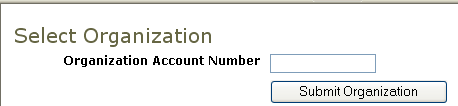
Quick Step Guide for IT Requesters Open your Internet Browser (Internet Explorer, Netscape, etc), type in www.myschoolbuilding.com in the address bar, and press Enter or click on Go . Refer below if you are a first time user or if asked to enter an Organization Account Number. If prompted, enter the Organization Account number ( 252107268 ) and click Submit Organization . You may also copy this link and paste it into the web address bar of your browser: http://www.myschoolbuilding.com/myschoolbuilding/itdgateway.asp?acctnum=252107268 Log into the system by entering your full email address: If this is your first time submitting a request, you will be prompted to enter your Last Name and then First Name before being logged in. Make sure you are on the “ IT Request ” tab. If not, simply click on this tab to access the IT request form. Fill out each step of the request form. Any field marked with a red check box is require...